



Live events thrive on hype and anticipation—whether it’s a buzzing concert or a weekend-long festival, the energy starts online long before the stage lights turn on. That’s why it’s essential to promote concerts and festivals on WordPress with a strategy that excites fans and drives ticket sales.
The problem? Default WordPress event listings are usually plain, text-heavy, and forgettable. They lack the visual punch needed to stand out in a competitive entertainment market where fans expect immersive, engaging content.
This is where Eventful changes the game. As a powerful add-on to The Events Calendar, Eventful transforms basic listings into sleek, modern showcases—complete with grids, carousels, and customizable layouts. The result: your events don’t just appear on your website, they shine—capturing attention, boosting visibility, and converting visitors into ticket buyers.
Table of Contents
Why Event Promotion Matters for Concerts & Festivals
Creating Excitement Before the Event
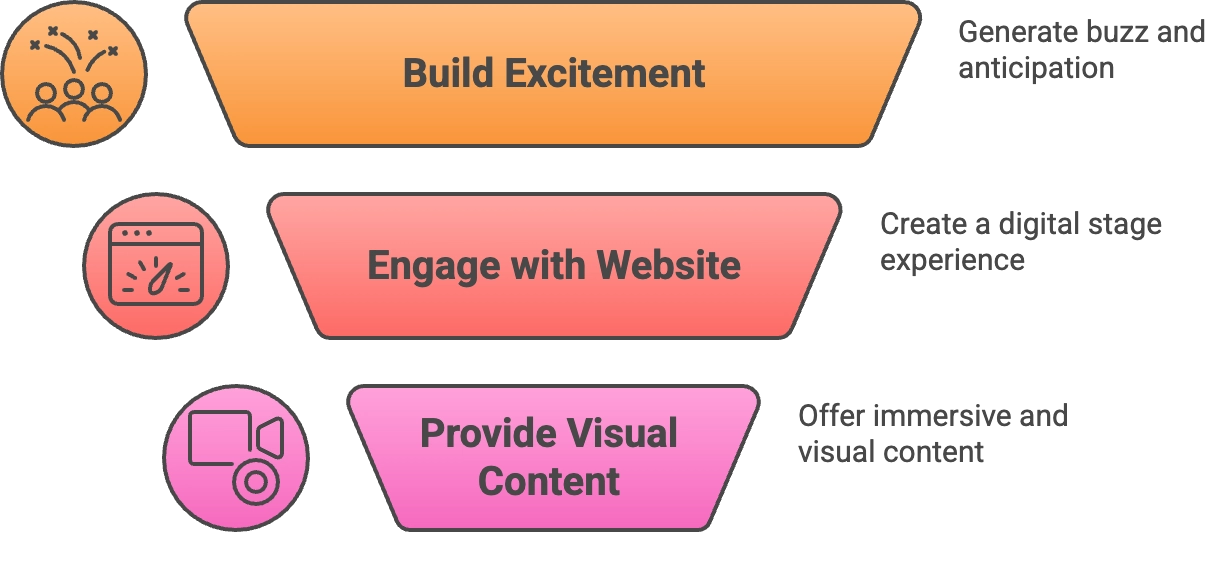
A successful concert or festival doesn’t start when the first artist walks on stage—it starts the moment fans hear about it. Building excitement early means more ticket sales, stronger word-of-mouth buzz, and a community of eager attendees counting down the days. Effective event promotion on WordPress lets you reach fans where they are and keep the hype alive.
Your Website as the Digital Stage
Think of your website as the first stage your audience encounters. Just like a venue sets the tone for a live show, your site sets the mood for what’s to come. A clean, modern design with engaging event showcases makes your audience feel like they’re already part of the experience. Without it, you risk losing fans to more polished competitors.
Fans Expect Immersive, Visual Content
Today’s audiences don’t just want to see dates and times—they expect to feel the energy before they even buy a ticket. That means artist spotlights, festival lineups, countdowns, and visuals that mirror the vibe of the live show. A static event listing won’t cut it; immersive, visual content is what transforms casual visitors into excited ticket buyers.
Why Use Eventful with WordPress?
When you’re trying to promote concerts and festivals on WordPress, your event listings need to do more than just display information—they need to entertain, excite, and convert. That’s exactly what Eventful delivers.
🎨 Visual Layouts Made for Entertainment
From sleek grids and clean lists to dynamic carousels, Eventful’s layouts are designed with music and entertainment in mind. They showcase your artists, venues, and schedules in a way that feels modern and engaging.
📱 Mobile-Ready by Default
Most fans browse upcoming events on their phones. Eventful’s layouts are fully responsive, ensuring that your concerts and festivals look stunning on any screen—no pinching, zooming, or broken designs.
⚡ Flexible Shortcodes & Widgets
Want to feature a lineup on your homepage? A countdown inside a blog post? A festival schedule in your sidebar? Eventful’s shortcodes and widgets give you the freedom to place event showcases exactly where they’ll have the most impact.
🎭 Branding That Matches Your Aesthetic
Every festival has its own vibe, and Eventful lets you reflect that with customizable colors, typography, and styling. Whether your event is neon and high-energy or classic and elegant, your website can match the experience.
🔗 Built for The Events Calendar
Already using The Events Calendar to manage your events? Eventful works as a seamless add-on, enhancing your existing setup without extra complexity. It takes the foundation you already have and elevates it into a full promotional platform.
Designing Eye-Catching Event Showcases
When you promote concerts and festivals on WordPress, visuals are everything. Fans want to see the energy, lineup, and vibe of your event before they commit to tickets. Eventful makes it easy to design showcases that grab attention and keep visitors engaged.
🎠 Carousel Layouts for Headliners
Carousels are perfect for spotlighting star performers. With Eventful, you can feature rotating slides of artists, bands, or festival highlights. This not only creates motion and excitement but also ensures that every performer gets their moment in the spotlight.
🗂️ Category-Specific Grids
Want to organize events by genre or theme? Eventful’s category-based grids let you group concerts like “Jazz Nights,” “Rock Festivals,” or “Acoustic Evenings.” Visitors can quickly browse events that fit their taste—making your site feel curated and fan-focused.
⏳ Countdown Timers for Urgency
Few tools build anticipation like a countdown. Adding a timer for an upcoming concert or festival creates urgency and encourages fans to secure their tickets before time runs out. Eventful integrates countdown features that are both stylish and effective.
🎭 Custom CSS for Festival Branding
Every event has its own personality. With Eventful’s customization options, you can use custom CSS to style showcases with your festival’s branding—matching colors, typography, or even adding background elements. This consistency makes your event look professional and unforgettable.
Driving Ticket Sales with Clear Calls-to-Action
At the end of the day, the ultimate goal when you promote concerts and festivals on WordPress is ticket sales. Eventful makes it simple to guide visitors from excitement to purchase with clear, strategic calls-to-action (CTAs).
🛒 “Buy Tickets” Buttons That Convert
Place Buy Tickets buttons directly inside event showcases so fans never have to hunt for the next step. Whether it’s in a grid, carousel, or single event view, these CTAs turn browsing into action.
🎫 Early-Bird & VIP Promotions
Create urgency and exclusivity by featuring early-bird discounts or highlighting VIP packages. With Eventful, you can showcase these offers in banners or dedicated sections to maximize visibility and drive faster conversions.
📰 Embedding CTAs in Blog Content
Announcing a new lineup or festival update? Don’t just post text—embed Eventful’s event blocks inside your blog. Each announcement can double as a ticket sales funnel, turning readers into paying attendees.
🏠 Homepage Showcases for Maximum Impact
Your homepage is prime real estate. By placing featured event showcases with ticket buttons front and center, you ensure fans see them immediately. This simple placement strategy often results in the highest conversions.
Optimizing Events for SEO Visibility
To truly succeed when you promote concerts and festivals on WordPress, it’s not enough to design beautiful showcases—you also need to make sure your events get discovered on Google. Eventful works hand-in-hand with The Events Calendar to boost your SEO and increase visibility.
📝 Keyword Optimization for Local Searches
Fans often search for terms like “concerts near me” or “summer festival 2026.” By including these phrases in your event titles, descriptions, and blog posts, you’ll capture local and seasonal search traffic that’s ready to buy.
🖼️ Image Optimization with Alt Text
Concert promotion is highly visual, and Google can’t “see” images without descriptions. Add keyword-rich alt text to artist and band photos—like “Boston Jazz Festival lineup 2026”—to improve rankings in both search results and image searches.
🗂️ Schema Markup for Events
The Events Calendar automatically adds structured data (schema) to your event listings. This means your concerts and festivals can show up in Google’s rich results with dates, times, and locations right on the search page.
📊 Eventful’s SEO-Friendly Layouts
Eventful’s structured layouts make it easier for search engines to crawl and index your content. Instead of a wall of text, you get organized event showcases that highlight the details Google—and your audience—care about most.
Showcasing Past Events to Build Hype
One of the smartest ways to promote concerts and festivals on WordPress is by showing fans what they’ve missed—and what they don’t want to miss next time. Highlighting past events builds credibility, creates excitement, and keeps your website buzzing even between shows.
🗂️ Create a Past Events Archive
Use Eventful’s grids or carousels to design a dedicated “Past Events” archive. Fans love scrolling through highlights, and new visitors get an instant sense of your event’s history and scale.
📸 Embed Photo & Video Highlights
Concerts and festivals are all about the atmosphere. Embedding image galleries and video clips captures that energy online and makes your next event feel like a can’t-miss experience.
📰 Write Recap Blogs with Links to Future Events
Publishing blog posts that recap past concerts or festivals is a double win: you celebrate what happened and promote what’s coming. Simply drop Eventful showcases of your upcoming events into the post to turn readers into buyers.
🌟 Leverage Social Proof
Reviews, testimonials, and press mentions are powerful forms of trust. Featuring them alongside your past event archives reassures fans that your concerts and festivals are worth attending again and again.
Boosting Engagement with Social Media & Sharing
When you promote concerts and festivals on WordPress, your website is the hub—but social media is where the buzz spreads. Eventful helps you bridge the two, turning your site into a launchpad for fan engagement and viral sharing.
🔗 Add Social Share Buttons to Every Event
Make it easy for visitors to spread the word. Adding share buttons for platforms like Facebook, X (Twitter), and WhatsApp ensures your events travel beyond your site and into fans’ networks.
📸 Integrate Instagram & TikTok Walls
Concerts and festivals thrive on visuals. Embedding an Instagram feed or TikTok wall showcasing fan-generated content creates a sense of community and FOMO that keeps people coming back.
✨ Shareable Snippets with Shortcodes
With Eventful shortcodes, you can drop event highlights into announcements or blog posts—perfect for creating quick, share-ready snippets that fans can repost or link back to.
🏷️ Encourage Branded Hashtags
Give your event a digital identity by promoting a hashtag like #SummerJazzFest2026. Display it alongside your event showcases, encourage fans to use it, and amplify their posts on your site.
Tailoring Eventful for Different Event Types
Not all events are the same, and your promotion strategy shouldn’t be either. One of the biggest advantages of using Eventful to promote concerts and festivals on WordPress is its flexibility—whether you’re managing a multi-day festival, a one-night concert, or recurring shows.
🎪 Festivals
Festivals usually mean multiple days, big lineups, and diverse genres. Eventful lets you:
- Display multi-day schedules clearly for fans.
- Add filters by stage or genre (rock, EDM, jazz, etc.) so visitors can find what they want quickly.
- Showcase large lineups with grids and carousels without overwhelming the page.
🎤 Concerts
Concert promotion thrives on spotlighting the main act. With Eventful, you can:
- Use spotlight layouts to focus on one artist or band.
- Add countdown timers to build anticipation.
- Place ticket CTAs front and center for fast conversions.
🔁 Recurring Events
Not every show is a one-off. Weekly club nights or seasonal showcases benefit from Eventful’s recurring structure:
- Highlight series branding (e.g., “Summer Fridays at The Garden”).
- Use grids to show the entire series while spotlighting the next upcoming date.
- Keep fans engaged across multiple touchpoints.
Best Practices & Quick Tips
Even with the best tools, success comes down to how you use them. Here are some quick wins to help you promote concerts and festivals on WordPress more effectively with Eventful:
🏠 Place Showcases in the Homepage Hero
Your homepage is your prime stage. Feature your biggest concert or festival showcase right in the hero section so visitors see it immediately when they land on your site.
🎟️ Keep Ticket CTAs Above the Fold
Don’t make fans scroll to find the purchase button. Position Buy Tickets CTAs prominently above the fold to capture impulse buyers and maximize conversions.
⚖️ Balance Visuals with Performance
Concert promotion thrives on bold visuals, but too many images or videos can slow down your site. Compress media files and use Eventful’s lightweight layouts to keep pages fast and engaging.
📱 Test Across Devices
Most fans will browse on mobile, but don’t neglect desktop. Always test your showcases, countdowns, and CTAs on multiple devices to ensure accessibility and a consistent experience.
Conclusion
Plain event listings won’t cut it in today’s competitive entertainment space. To truly promote concerts and festivals on WordPress, you need more than dates and details—you need immersive showcases that build hype, drive ticket sales, and keep fans engaged.
Eventful transforms The Events Calendar into a full promotional engine:
- Hype: Stunning grids, carousels, and countdowns that spark excitement.
- Ticket Sales: Clear CTAs and seamless event blocks that convert visitors.
- SEO Visibility: Optimized layouts and schema for better search rankings.
- Social Engagement: Built-in sharing features and integrations with fan content.
Ready to make your concerts and festivals shine online? Eventful gives you the power to turn your WordPress site into the ultimate digital stage.
FAQs – How to Promote Concerts and Festivals on WordPress Using Eventful
How can I promote concerts and festivals on WordPress without coding?
You can promote concerts and festivals on WordPress easily using the Eventful plugin, which provides pre-designed layouts, carousels, and shortcodes. No coding required—just install, configure, and showcase your events.
Why should I use Eventful instead of default WordPress event listings?
Default event listings are plain and text-heavy. Eventful transforms them into immersive showcases that grab attention, boost SEO, and make it easier to sell tickets directly from your site.
Can Eventful help improve SEO for my concerts and festivals?
Yes. Eventful works alongside The Events Calendar to structure event data with schema markup, optimize images with alt text, and organize layouts for better indexing. This makes your concerts and festivals more visible in Google search.
Does Eventful work for both small concerts and large festivals?
Absolutely. Eventful is flexible enough to highlight a single-artist concert with countdowns and CTAs, or showcase multi-day festivals with filters, lineups, and stage categories.
How do I increase ticket sales using Eventful?
Eventful makes it simple to add Buy Tickets buttons inside your showcases, feature early-bird offers, and embed event blocks in blog posts. Strategic CTAs placed on your homepage and announcements help turn visitors into buyers.
Can I share my concerts and festivals on social media directly from WordPress?
Yes. Eventful supports social sharing buttons and integrates with Instagram/TikTok feeds. You can also encourage fans to use branded hashtags and display their content on your event pages.
✨ Try Eventful Today
Bring your events to life with modern layouts, flexible shortcodes, and customizable designs—all built for promoters like you.