

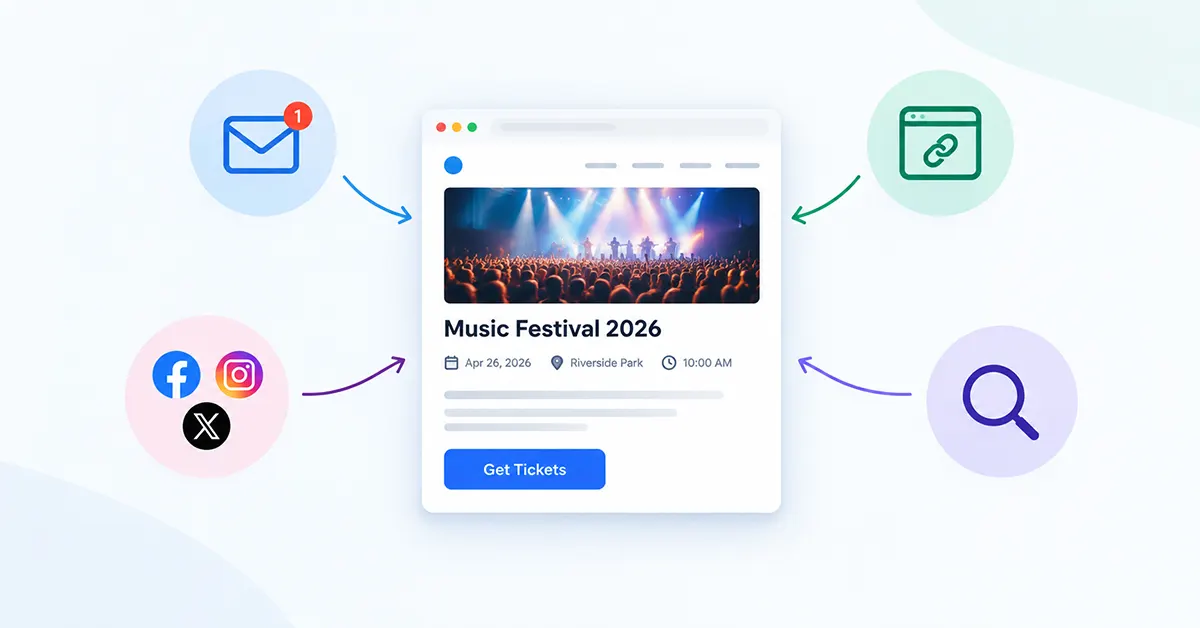

Two weeks before the event, the organizer checks registrations and the number is lower than they hoped. They posted about it on social media. They mentioned it in the newsletter. They added it to the website somewhere. But none of that was really a system — it was a handful of disconnected actions, and now they’re not sure what to try next.
You’ll promote events on your website more effectively when every channel points toward one clear, measurable destination.
Key Takeaways
- Build one canonical event page that every promotion channel points back to, rather than scattering information across several versions.
- Your website can work as an ongoing discovery surface, not just a place the event page happens to live.
- Emailing an existing audience is usually more productive to start with than chasing cold traffic.
- Promoting an event repeatedly over time tends to work better than one launch-day burst.
- Measuring registrations or another meaningful action matters more than tracking likes or impressions.
- Choose channels based on where your specific audience actually spends attention, not based on being everywhere.
Table of Contents
Why Event Promotion Often Falls Flat
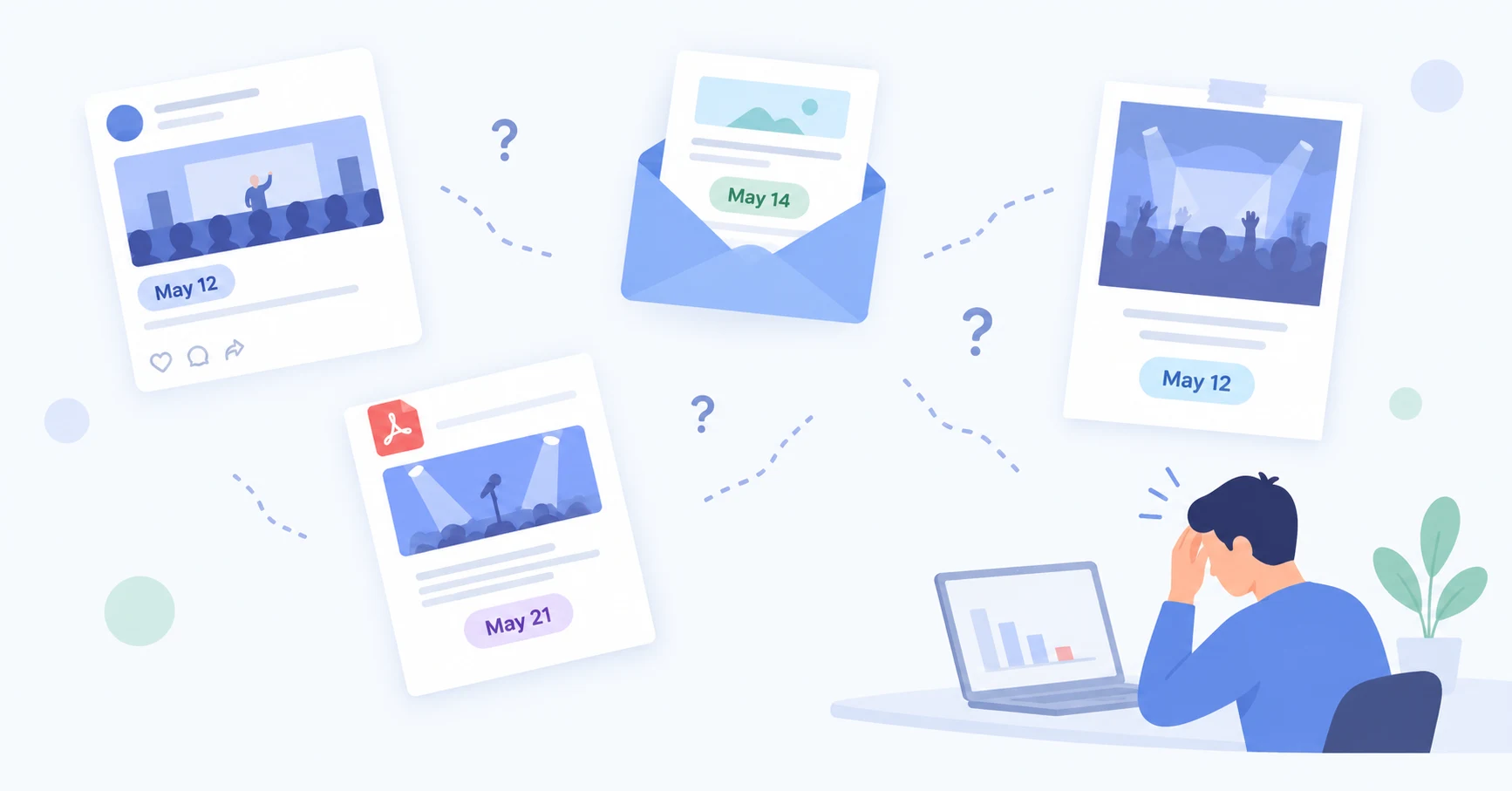
A few structural problems show up again and again, though not every event runs into all of them: promotion scattered across channels with inconsistent details, no single canonical event page, the event buried deep in site navigation, an unclear call to action, one promotional burst instead of ongoing visibility, no follow-up, no tracking at all, or measuring likes and impressions instead of actual registrations. None of these are universal — but they’re common enough to check first.
Relying entirely on a third-party platform — a social feed, a marketplace listing — carries its own risk too. Those platforms decide what visibility you get, and that can change without notice. A website you control doesn’t have that problem — which is exactly why the smartest way to promote events on your website is to make it, not a rented platform, the center of your system.
Start With One Strong Event Page to Promote Events on Your Website
Before you can promote events on your website effectively, make sure there’s one page that quickly answers what the event is, who it’s for, when it happens, where it happens, why someone should attend, and what to do next. Every promotion channel should point here — not to a social post, not to a PDF, not to three slightly different versions of the same event.
Useful elements for that page: a clear title, visible date and time, the location, a relevant image, a concise description of the benefit, whatever event details actually matter to attendees, one clear registration or ticket action, and a presentation that holds up on mobile. Not every event needs the same structure — a free local meetup and a ticketed weekend festival will naturally differ — but visitors shouldn’t have to hunt for the basics on either one. If you’re deciding between the default layout and something more customized, The Events Calendar Default Views vs Custom Layouts: A Visual Comparison walks through that specific decision.
It’s worth resisting the urge to redesign this page repeatedly. A page that’s good enough and stable tends to serve promotion better than one that keeps changing shape every time you send a new email — visitors and partners who’ve seen it once should still recognize it the second time.
Make Your Website an Always-On Promotion Surface
Promotion shouldn’t depend entirely on someone finding one specific URL. Your own website can surface events in several places at once: a homepage upcoming-events area, a sidebar or widget, your events archive, related content on other pages, a relevant landing page, or navigation where it makes sense. Each of these gives a visitor who arrives without a direct link another way to find what’s coming up.
If you already manage events with The Events Calendar, a display add-on such as Eventful can provide additional ways to surface existing event information across the site — for example, a homepage featured-events block, a compact sidebar list, or a filterable grid on your events archive. Eventful doesn’t drive registrations, retarget visitors, send email, sell tickets, or improve SEO on its own — it’s a presentation layer, not a marketing engine.
Promote to the Audience You Already Have
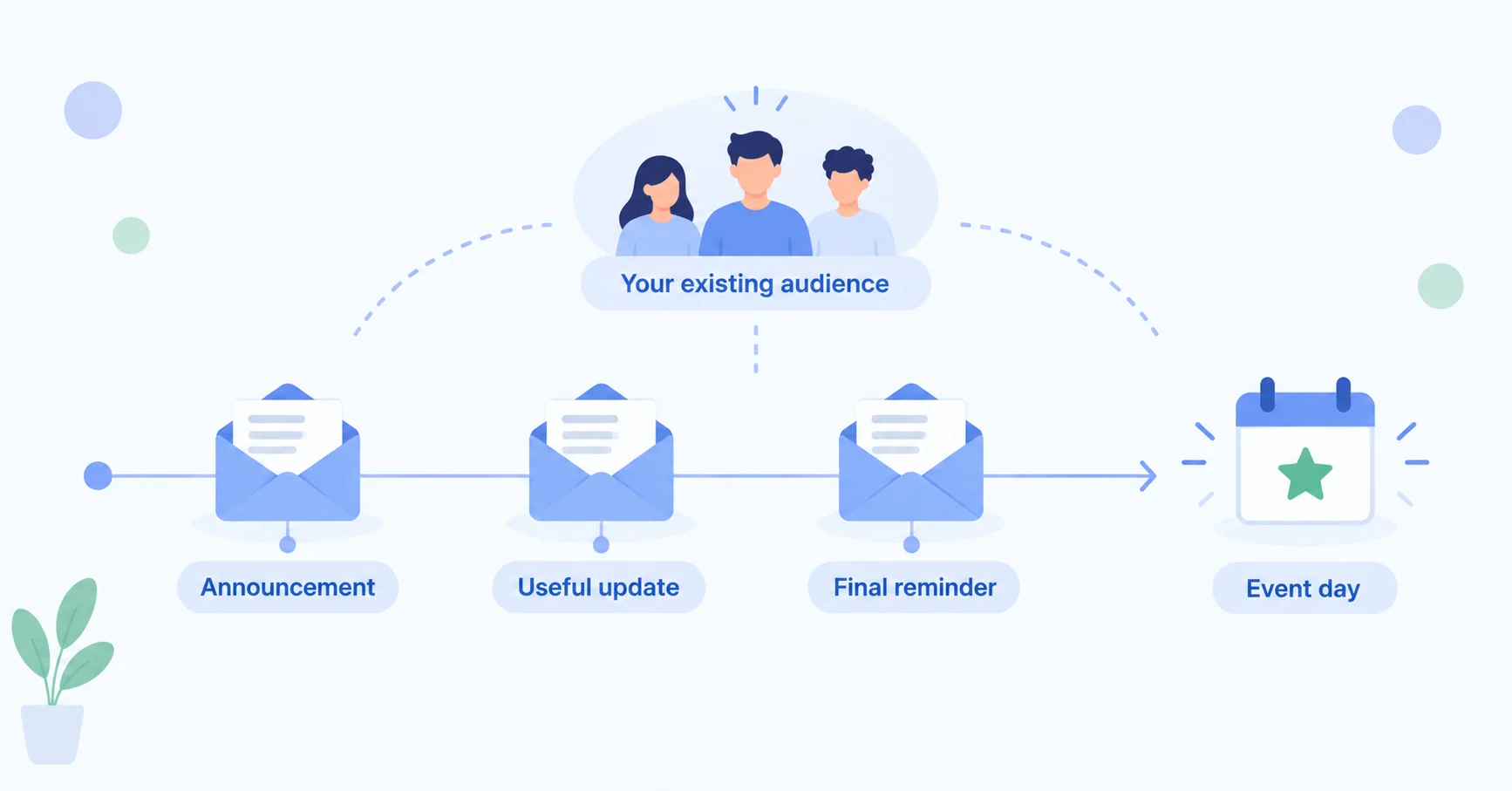
Newsletter subscribers, members, previous attendees, community lists, and existing customers are usually a more productive place to start than cold traffic — they’ve already chosen to hear from you. Send marketing messages according to your existing permissions and applicable email or privacy requirements; don’t assume consent to email everyone in a contact list built for a different purpose.
A simple sequence, rather than a rigid formula: an announcement, a useful reminder or update partway through the promotion window, and a final reminder when appropriate. Results will vary by audience and event, so treat this as a starting shape rather than a guarantee.
Be Selective With Social Media
Being on every platform isn’t automatically better than being on the two or three where your actual audience spends attention. Pick channels based on your audience and your realistic capacity to keep posting, not based on what feels comprehensive.
Practical content types worth rotating through: the initial announcement, a speaker or performer spotlight, behind-the-scenes glimpses, useful information attendees actually need, reminders, and deadline or availability updates when they’re accurate. Organic reach isn’t guaranteed on any platform, so treat social as one discovery path among several rather than the whole strategy.
Borrow Relevant Audiences
Community organizations, speakers, performers, venues, partners, sponsors, associations, and local or community event listings often already have an audience that overlaps with yours. Ask them to share the event, cross-promote where it’s mutually useful, or list it where relevant — the goal is relevant audience exposure, not collecting backlinks or treating every listing as an “SEO opportunity.”
This works best when it’s genuinely mutual. A partner is more likely to promote your event if you’ve promoted theirs before, or if there’s an obvious reason their audience would care — a shared performer, a related cause, or an overlapping neighborhood. Asking cold, with nothing to offer in return, tends to get a much weaker response.
Retarget Interested Visitors — When Appropriate
Retargeting simply means advertising again to people who previously interacted with your site or event page, where the platform, consent setup, and applicable rules allow it. Not every visitor can automatically be retargeted, and this isn’t the place for legal advice — tracking and advertising technologies may require consent or other disclosures depending on jurisdiction, configuration, and platform policy. Site owners should use appropriate consent/privacy controls for their situation. If you use retargeting at all, keep it as one supporting channel rather than the center of your promotion plan.
Track What Actually Contributes to Registrations
Traffic is not the same as registrations. A page can get plenty of visits and still convert poorly, and a small amount of well-targeted traffic can outperform a much larger, less relevant audience. A simple way to think about the chain: promotion exposure leads to an event-page visit, which leads to a registration or ticket action, which leads to a completed registration, which is measurable.
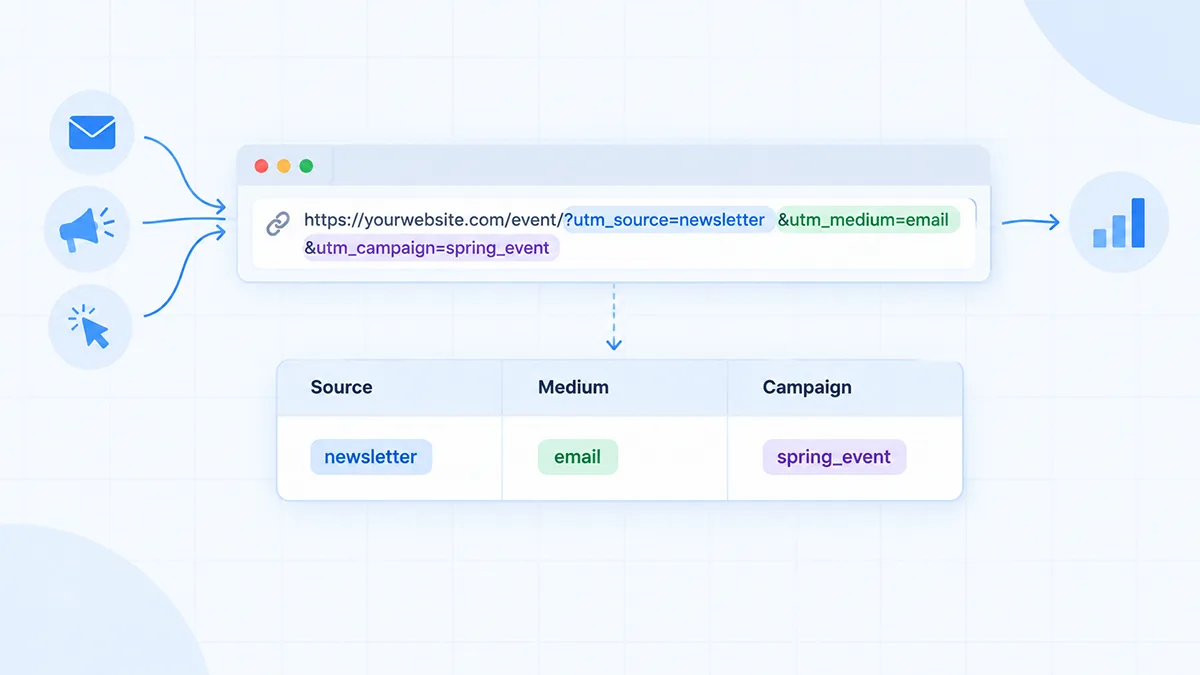
UTM parameters are a beginner-friendly way to tag links so your analytics can tell you where a visit came from. Google’s own guide to UTM parameters covers each parameter in detail if you want the full reference. For example (these are illustrative examples only):
utm_source=newsletterutm_medium=emailutm_campaign=spring_event
Use a consistent naming system across campaigns so the data stays comparable over time. UTMs won’t give you perfect attribution — cross-device behavior, privacy restrictions, forwarded links, offline influence, and people who see one channel but convert through another all limit what any tagging system can show you. Treat the results as directional evidence, not an exact accounting of what caused what.
Two Hypothetical Scenarios
Both scenarios below are illustrative examples, not real customer cases, and include no invented results.
Hypothetical: Small Recurring Meetup
A solo organizer runs a monthly meetup with little advertising budget. Their system might prioritize one always-updated event page, homepage visibility, existing email subscribers, one primary social platform they can actually keep up with, sharing through partner or community channels, and simple source tracking rather than anything elaborate.
Hypothetical: Larger One-Off Event
A nonprofit or small venue has a modest marketing budget, an email list, several partners, multiple social channels, and possibly some paid promotion. The same fundamentals still apply at that scale — one destination, repeated distribution across more channels, one clear action, and enough measurement to see what’s actually contributing.
Common Event Promotion Mistakes
| Common Mistake | Better Approach |
|---|---|
| Promoting only once | Build a repeated promotion schedule, not a single burst |
| Event page buried in navigation | Surface it from the homepage, sidebar, or archive too |
| Inconsistent information across channels | Point every channel to one canonical event page |
| Unclear call to action | Make the next step obvious and consistent everywhere |
| Chasing every social platform | Focus on where your actual audience spends attention |
| Ignoring your existing audience | Email subscribers and past attendees first |
| No partner promotion | Ask relevant partners and community contacts to share it |
| No campaign tracking | Tag links so you can see what’s contributing |
| Measuring likes instead of meaningful actions | Track registrations or another real action instead |
| Waiting until the final week to build awareness | Start earlier, appropriate to your event type |
A Simple Promotion Checklist
A reusable shape, not a rigid timeline for every event type:
- Before launch: finish the event page, confirm the registration/action flow, prepare a basic tracking structure.
- Launch: send the email announcement, add website placement, post on chosen social channels, notify partners.
- Mid-campaign: share useful follow-up content, check traffic and actions, fix whatever’s underperforming.
- Final stage: send an accurate reminder with logistics, add last-call messaging only where it’s genuinely accurate.
- After: record source and performance data, and write down what you’d change for next time.
FAQ
How do I promote an event on my website?
Start with one clear, complete event page, then make sure it’s visible from more than one place on your site — a homepage area, a sidebar, or your events archive — so visitors who arrive without a direct link can still find it.
How can I increase event attendance?
No single tactic guarantees attendance. What tends to help is combining a clear event page, promotion across the channels your audience actually uses, repeated (not one-time) visibility, and enough measurement to see which channels are contributing so you can adjust.
How early should I start promoting an event?
It depends on your event type, audience, price point, travel requirements, and how long people typically take to decide and register. A local free meetup and a ticketed weekend festival follow very different timelines, so there’s no single universal answer.
What should an event landing page include?
At minimum: a clear title, the date and time, the location, a relevant image, a concise description of why someone should attend, and one obvious next action, whether that’s registering, booking, or getting a ticket.
How do I track where event registrations come from?
A common starting point is tagging your promotional links with UTM parameters (like utm_source and utm_medium) and checking your analytics for which sources lead to event-page visits and registrations. It’s directional, not perfect — some traffic and influence will always go untracked.
Should I use social media or email to promote events?
Both tend to play different roles rather than competing directly. Email usually reaches people who’ve already chosen to hear from you, while social can reach people who haven’t — most organizations benefit from using both rather than picking one over the other.
Conclusion
If you want to promote events on your website consistently, treat it as a repeatable system rather than a series of disconnected posts. The practical first step is simple: make sure there’s one strong event destination, and that every active promotion channel — email, social, partners, your own website — actually points toward it.
If you’re already using The Events Calendar and want more ways to surface your events across the site, Eventful is one option worth a look alongside the rest of this system. See Free vs Pro: Is The Events Calendar Enough, or Do You Need an Add-on? and How to Add an Events Widget to Your WordPress Homepage for more on that specific piece.