


Most event websites make a costly mistake: the moment an event ends, they either delete it or let it disappear from the front-end entirely. In 2026, Bizzabo found that 78% of event organizers consider in-person events their single most impactful marketing channel — yet many of those same organizers fail to use their completed events as ongoing marketing assets.
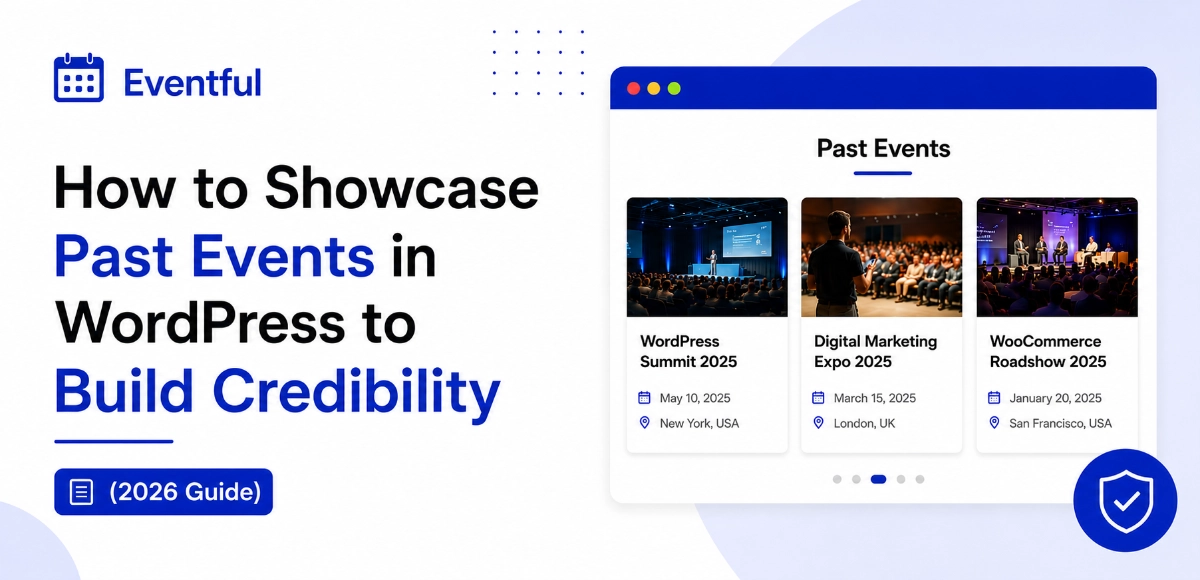
If you want to showcase past events in WordPress, there’s a smarter approach. Past events aren’t stale content — they’re proof. They tell new visitors you’ve done this before, that people showed up, and that your events are worth attending. This guide walks you through why past event showcases matter, what’s wrong with WordPress defaults, and exactly how to display previous events in a way that builds real credibility.
New to event management in WordPress? Start with our beginner’s guide to setting up The Events Calendar before diving in.
📌 Key Takeaways
- In 2026, 78% of organizers say in-person events are their top marketing channel (Bizzabo, 2026)
- 97% of consumers read proof or reviews before deciding to register or attend (BrightLocal, 2026)
- WordPress powers 42.2% of all websites globally — and most sites don’t showcase past events properly (W3Techs, 2026)
- WP Eventful Pro lets you display completed events in Grid, Slider, Carousel, Minimal List, and 5 more responsive layouts — without touching code
Table of Contents
Why Showcasing Past Events Builds Credibility
In 2026, BrightLocal’s Local Consumer Review Survey found that 97% of consumers read reviews or social proof before making a purchase or registration decision. Completed events are the ultimate form of social proof — they show that real people attended, real speakers presented, and your organization delivered on its promises.
Think about it from a first-time visitor’s perspective. They land on your site and see only upcoming events with no history. That raises an immediate question: have you actually done this before? A well-structured past event showcase answers that question instantly.
💡 Our take: Event organizers who display past events with attendee photos, speaker lineups, and post-event recaps consistently generate higher trust signals from new visitors — even when those visitors weren’t aware the events existed. The archive acts as a silent portfolio, doing conversion work in the background 24/7.
According to Freeman Research via Salmon Labs (2025), 77% of consumers say interacting with a brand at a live event increases their trust in that brand. Displaying past events extends that trust-building effect to people who weren’t even there — which is the real power of a past event showcase.

The Real Benefits of Displaying Previous Events
There are concrete, measurable reasons to display previous events — not just aesthetic ones.
- Builds authority and trust. A rich event history signals experience. Whether you’re a nonprofit, conference organizer, or agency, showing completed events tells your audience you have a track record worth trusting.
- Boosts future event registrations. In 2026, Bizzabo reported that 54% of attendees plan to attend more in-person events than last year. Visitors who see a history of successful events are significantly more likely to register for your next one.
- Creates permanent SEO value. Each past event page is an indexable URL. Done right, these pages rank for event-specific keywords and drive organic traffic long after the event ends — more on this in the SEO section below.
- Serves as a visual portfolio. For agencies, nonprofits, and educational institutions, past events function exactly like a client portfolio. They demonstrate what you organize, how you organize it, and the scale you operate at.
- Reduces decision friction. According to the Northwestern University Spiegel Research Center via Trustmary (2025), showing just five reviews or proof elements increases conversions by 270%. Past events, when showcased beautifully, serve that same role.
The Problem with Default Event Layouts in WordPress
If you’re using The Events Calendar — the most popular WordPress event plugin, with millions of active installs — you already know the problem. The default past events view is a bare chronological list. No images, no visual hierarchy, no way to highlight your best events or filter by category.
Here’s what that looks like in practice:
| Feature | Default The Events Calendar | Eventful Pro |
|---|---|---|
| Past events display | Plain text list, chronological | Grid, Slider, Carousel, Minimal List, Ticker, Popup, Center Carousel, Multi-row Carousel |
| Visual customization | Minimal | Full color, typography, and card style controls |
| Filter by category/tag | Not available by default | Filter, sort, and search support |
| Elementor support | No native widget | Drag-and-drop Elementor widget |
| Gutenberg block | Basic | Full Gutenberg block |
| Shortcode support | Limited | Flexible shortcodes for any page |
| Responsive layouts | Basic | Fully responsive, mobile-optimized |
| Hover animations | None | Card hover effects included |
| Featured event highlighting | No | Yes |
The default layout doesn’t reflect the quality of your events. Visitors who find your past event list see a wall of text links — not a compelling archive that communicates experience and builds trust.
See all eight layouts in action on the WP Eventful demo page.
How to Showcase Past Events in WordPress (Step by Step)
Displaying past events in WordPress with The Events Calendar comes down to one key setting. But getting it to look professional — and actually convert visitors — takes a bit more than the default setup. Here’s exactly how to do it.
Install The Events Calendar.
Install WP Eventful and activate Pro.
Create your showcase.
Set the display to past events.
Customize your card design.
Embed it anywhere.
💡 Quick tip from the Eventful team: For the strongest visual impact, use the Grid layout with 3 columns and enable event featured images. Past event archives with featured photos consistently look more professional and earn more clicks than text-only lists. If you don’t have event photos, use speaker headshots or venue images.
Need more detail? The complete Eventful documentation covers every layout option and setting for displaying past events.
Best Layouts for Displaying Past Events (and When to Use Each)
Not all layouts work equally well for every situation. All layouts below are available in Eventful Pro and support past event display. Here’s which one fits your use case:
- Grid Layout — The most versatile option. Shows event cards in a clean, equal-height grid with images, dates, and titles. Best for organizations with strong event photography or speaker headshots. Works on any page — homepage, About page, or dedicated archive.
- Slider Layout — Perfect for hero sections. Displays one featured past event at a time with a large image and bold typography. Ideal for showcasing your flagship annual conference or flagship event series.
- Carousel Layout — Great for homepages. Visitors scroll through past events horizontally. Works well when you want to showcase many events without consuming a lot of vertical space.
- Minimal List Layout — Clean and fast-loading. Shows events as a compact list with key details (title, date, category). Best for event-heavy sites with 50+ past events where load speed matters.
- Event Ticker — A scrolling ticker for sidebars or announcement bars. Subtle but effective for keeping past events visible across your site without requiring dedicated page real estate.
- Center Carousel — A premium layout with a focused center card and blurred side cards. Creates a cinematic presentation — ideal for conference or festival brands that want a high-end feel.
- Popup Layout — Displays event details in a modal overlay on click. Great for keeping the page clean while still offering rich event information on demand.
- Multi-row Carousel — Stacks multiple rows of horizontally scrollable events. Perfect for archives with a large number of past events to display at once.
See all eight layouts live on the Eventful demo page.
Using Eventful to Showcase Past Events in WordPress Beautifully
WP Eventful is the premium version of the Eventful addon for The Events Calendar. It unlocks the ability to display past events in eight visual layouts — Grid, Slider, Carousel, Minimal List, Ticker, Popup, Center Carousel, and Multi-row Carousel. It runs on Elementor, Gutenberg, and shortcodes, fitting into any WordPress setup without changing your existing workflow or theme.
What sets Eventful apart from other solutions is the visual customization depth. You control card border radius, font sizes, color overlays, hover animations, and event count — all from a clean settings panel. No custom CSS, no child theme edits, no developer needed.
According to a 2026 BrightLocal study, 85% of consumers become more likely to engage with a business after seeing positive proof. A beautifully designed past event archive delivers exactly that effect — and it’s passive. Once it’s set up, it keeps working.
💡 Unique insight: Eventful’s past event display is especially powerful for organizations running recurring events. When visitors see five editions of your annual summit displayed beautifully in a carousel, it signals continuity and reliability — two of the strongest trust drivers in event marketing.
Elementor users can drag the Eventful widget into any section and configure the past events display live in the Elementor editor — no shortcodes, no page refreshes.
Gutenberg users get a native Eventful block that lives right inside the WordPress block editor. Add it to any post or page in seconds.
Shortcode users can paste [ eventful id="YOUR_ID" ] into any page, widget, or theme template. The showcase ID comes from your Eventful settings panel and never changes.
Eventful Free vs Pro: Which One Do You Need?
The free version of WP Eventful, available at WordPress.org, is a great starting point. It includes Grid, Slider, Carousel, and Minimal List layouts for displaying upcoming events. However, displaying past events is a Pro-only feature — you’ll need Eventful Pro to showcase completed events on your site.
| Feature | Eventful Free | Eventful Pro |
|---|---|---|
| Upcoming events display | ✓ | ✓ |
| Past events display | ✗ | ✓ Pro only |
| Grid layout | ✓ | ✓ |
| Slider layout | ✓ | ✓ |
| Carousel layout | ✓ | ✓ |
| Minimal List layout | ✓ | ✓ |
| Ticker layout | ✗ | ✓ Pro |
| Popup layout | ✗ | ✓ Pro |
| Center Carousel | ✗ | ✓ Pro |
| Multi-row Carousel | ✗ | ✓ Pro |
| Event search and filter | Basic | Advanced |
| Custom post type support | ✗ | ✓ Pro |
| Premium card styles | ✗ | ✓ Pro |
| Priority support | ✗ | ✓ Pro |
If showcasing past events is your goal, Eventful Pro is what you need. The free version is a solid way to try Eventful’s interface and display upcoming events before upgrading.
The SEO Benefits of an Event Archive WordPress Site Can Leverage
Here’s an angle most event organizers miss entirely: past event pages are SEO goldmines, and most sites leave that value sitting on the table.
In 2026, WordPress powers 42.2% of all websites globally (W3Techs, May 2026). The platform has excellent SEO fundamentals — and when you pair it with a structured past event archive, you create a category of permanently indexable, keyword-rich pages that keep attracting traffic long after each event ends.
Each past event page can rank for:
- The event name and year (“WordCamp Chicago 2025”)
- The speaker’s name or topic
- Location-based searches (“marketing conference Chicago 2025”)
- Niche event queries your competitors haven’t optimized for
A structured past event showcase also builds internal links automatically. When Eventful displays your past events in a grid, every card links to its event detail page — distributing link equity across your site without any extra effort.
For maximum SEO impact, make sure each past event page includes a unique meta description, a recap paragraph with key takeaways, speaker names, and Event schema markup (schema.org/Event). That structured data helps Google display rich results and helps your events appear in AI-generated answers. Our WordPress event schema markup guide walks through the exact implementation.
According to Bizzabo’s 2026 benchmark, 71% of attendees say in-person B2B conferences are the most effective way to discover new products and services. SEO-optimized past event pages capture that audience long after the event has ended.
Real Examples: How Organizations Use Past Event Showcases
Different organizations use past event archives in different ways. Here’s what consistently works across four common use cases.
Conference organizers display a full-width grid on their homepage showing the last three years of their annual event. Visitors immediately see the event has history, recognize past speakers, and feel more confident registering — without reading a single word of copy.
Nonprofits showcase past fundraising galas and community events in a Slider layout on their About page. The visual history builds donor trust and demonstrates measurable impact over time.
Educational institutions use a Minimal List layout in a sidebar or dedicated archive page to display completed workshops and seminars. It’s fast-loading and works cleanly even with 100+ past events.
Agencies and freelancers display events they’ve organized or participated in using a Carousel layout on their portfolio or Services page. Past events become direct proof of execution capability.
The common thread across all of them: the layout matches the brand, and the content does the persuasion.
Frequently Asked Questions for – showcase past events in WordPress
How do I showcase past events in WordPress using The Events Calendar?
With The Events Calendar, past events are accessible at /events/past/ by default — but that view is a plain text list. To display completed events with visual layouts like a grid, slider, or carousel, you need Eventful Pro. Set the Event Type to “Past Events” in your showcase settings, then embed it with a shortcode, Elementor widget, or Gutenberg block. The whole setup takes under 15 minutes.
Can I show past events on my homepage or a custom page?
Yes. With Eventful Pro, every showcase you create gets a unique shortcode. Paste it into any WordPress page, widget area, or template. Elementor users get a native Eventful widget; Gutenberg users have a dedicated Eventful block. You can display your past event showcase in a homepage section, sidebar, footer, or dedicated archive page — wherever it makes the most sense for your site.
Does showcasing past events hurt my SEO?
No — it actively helps it. Past event pages are permanently indexable URLs that can rank for event-specific keywords, speaker names, and local search queries. Adding recap content, attendee photos, and Event schema markup turns each past event page into a long-term SEO asset. In 2026, W3Techs reports WordPress powers 42.2% of all websites globally — its SEO fundamentals make archived event pages easy to optimize.
Is Eventful compatible with my WordPress theme?
Eventful works with any WordPress theme that supports The Events Calendar. It outputs responsive, semantic HTML that inherits your theme’s typography and color styles. If you’re using Elementor or a Gutenberg-based theme, the native widget and block integrate seamlessly with your existing page layouts. See the Eventful documentation for theme-specific setup notes.
What’s the difference between Eventful Free and Eventful Pro for past event showcases?
Displaying past events requires Eventful Pro — the free version shows upcoming events only. Eventful Pro unlocks past event display across all eight layouts (Grid, Slider, Carousel, Minimal List, Ticker, Popup, Center Carousel, Multi-row Carousel), plus advanced filtering, search, and custom post type support. See the full Eventful Free vs Pro comparison to find the right fit for your organization.
Final Thoughts: Your Past Events Are Your Best Marketing Asset
Here’s the honest truth: most event organizers work hard to produce great events, then let that work disappear the moment the event ends. A past event showcase changes that equation entirely. It turns every completed event into a permanent trust signal, a portfolio entry, and an SEO asset that keeps working long after the last attendee has gone home.
In 2026, with 54% of attendees planning to attend more in-person events than last year (Bizzabo, 2026), competition for attention and registrations is real. A beautifully displayed event archive sets you apart — not just visually, but strategically. It answers the question every first-time visitor has before they’ll ever trust you with their time: have you done this before?
WP Eventful Pro makes the answer obvious.
Ready to Showcase Your Past Events?
Unlock past event display with Eventful Pro and have your showcase live in under 15 minutes. Or try the free version first to get familiar with the plugin.
Need help getting started? The Eventful documentation covers the full installation and configuration guide for all layouts and settings.
Sources
- W3Techs, WordPress Usage Statistics, retrieved 2026-05-09
- Bizzabo, Event Marketing Statistics & Benchmarks 2026, retrieved 2026-05-09
- BrightLocal, Local Consumer Review Survey 2026, retrieved 2026-05-09
- Freeman Research via Salmon Labs, Event Marketing Statistics 2025, retrieved 2026-05-09
- Northwestern University Spiegel Research Center via Trustmary, Social Proof Statistics 2025, retrieved 2026-05-09
- PowerReviews via Smash Balloon, Social Proof Statistics 2025–2026, retrieved 2026-05-09