






Live demo · Filters
AJAX Event Filter for The Events Calendar in Elementor
Add a live filter bar above any Eventful widget. Visitors filter by category, tag, venue, organizer, timeframe, month or year, and the events update without a page reload. Every filter below is the live widget.
All 9 widgetsFree & Pro
01
Category buttons with event counts
How to set it: Filter Events > Advanced Filtering on. Add a row: Select Option Categories, Show as Live Filter on, Filter Style Button, Show Count on, Hide Empty on.
Live widget · category buttons
02
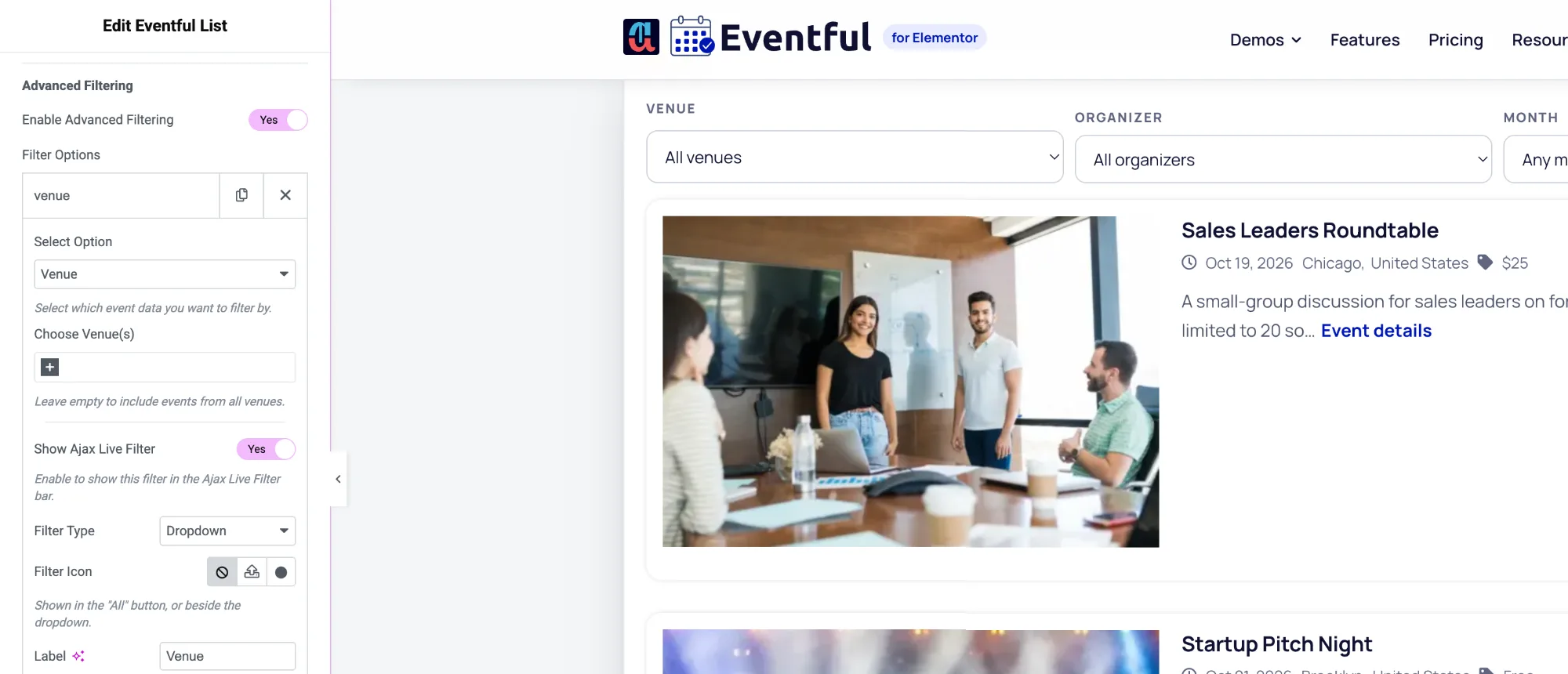
Dropdowns for venue, organizer and month
How to set it: Three filter rows (Venue, Organizer, Event Month), each with Filter Style Dropdown (Pro). Filter Option Column(s): 3, so they sit side by side. Relation between rows: AND.
Live widget · dropdown filters (Pro)
Future Leaders Business Summit
- San Francisco,United States
- $299
Finance Basics for Founders
- Free
Outdoor Team Building Retreat
- Sydney,Australia
- $450
03
Timeframe radios and category checkboxes
How to set it: Row 1: Event Timeframe (Today and Onwards, This Week, This Month, Next Month) as Radio (Pro). Row 2: Categories as Checkbox (Pro). Labels: When and Category.
Live widget · radio + checkbox filters (Pro)
Options
What you can customise
Everything below is a control in the Elementor panel. No code needed.
- Filter by categories, tags, venue, organizer, event type, timeframe, month or year
- Limit each filter to chosen options, for example 3 categories
- Operators IN, AND and NOT IN, with AND or OR between rows
- Show any row as a live filter, or use it only to narrow the query
- Filter styles: Button (free), Dropdown, Radio and Checkbox (Pro)
- Label, icon and a renamed "All" option per filter
- Show event counts and hide empty options
- 1 to 6 filter columns, set per device, with a gap between them
- Show/Hide Filter button with your own texts (shown when the search box is on)
- Live keyword search and a Reset button in the same bar
- Normal and active filter colours, and Show/Hide button colours, in the Style tab
- Works on all 9 widgets, including Carousel and Slider
Is the AJAX filter in the free version?
Yes. The free version includes live filters shown as buttons. Pro adds dropdown, radio and checkbox styles. See Free vs Pro.
What can visitors filter events by?
Categories, tags, venue, organizer, event type (upcoming or past), a timeframe such as This Week or Next Month, a month, or a year. You can add several filters to one widget.
Does the page reload when a filter is clicked?
No. The widget fetches the matching events with AJAX and replaces the list in place.
Can I filter without showing the filter bar?
Yes. Turn off Show as Live Filter on a row and it only narrows the events the widget shows, for example to one venue.
Last updated:
Give your events the layout they deserve
Nine Elementor widgets, AJAX filters and full style control. Try the free version or go Pro today.