Halloween Is an Event: up to 70% off every Pro plan
Time left: 00d:00h:00m:00s Ends Oct 31, 23:59 GMT
Layouts
More layouts
Features
Home › Events Ticker
Live demo · Ticker
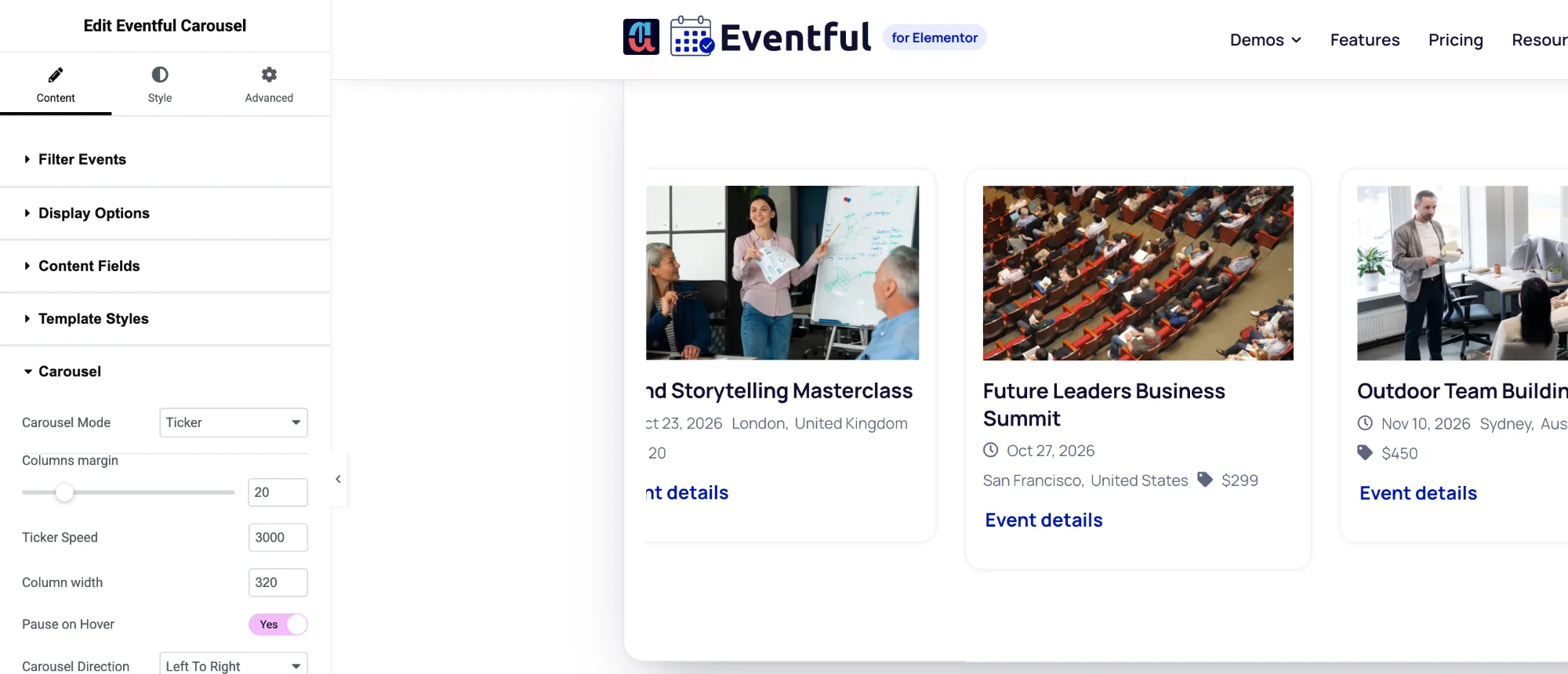
A continuously scrolling strip of events, like a news ticker. The ticker is a mode of the Eventful Carousel widget: set Carousel Mode to Ticker, then choose the speed, card width and direction. Every ticker below is the live widget.
Eventful Carousel widgetPro
01
How to set it: Eventful Carousel > Carousel Mode: Ticker. Column width: 320. Ticker Speed: 3000. Pause on Hover on.
Live widget · ticker mode (Pro)
02
How to set it: Image off, Read More off. Carousel Direction: Right To Left. Column width: 280. A slim strip for a header or footer bar.
Live widget · text-only ticker, right to left (Pro)
03
How to set it: Filter Events: Featured. Column width: 380. Use it under a hero to keep your headline events moving.
Live widget · featured events (Pro)
Options
Everything below is a control in the Elementor panel. No code needed.
FAQ
Still have a question? Ask our team.
No. It is a mode of the Eventful Carousel widget. Add Eventful Carousel and set Carousel Mode to Ticker. The Ticker mode is part of Pro.
Yes. Set Carousel Direction to Right To Left. You can also pause the ticker while a visitor hovers over it.
Yes. Turn off the image and Read More in Content Fields to get a slim strip with the event title, date and venue.
Last updated: 21 October 2026
Nine Elementor widgets, AJAX filters and full style control. Try the free version or go Pro today.