Live demo · Grid
Elementor Events Grid for The Events Calendar
Show your events from The Events Calendar in a responsive grid with the Eventful Grid widget. Pick 1 to 4 columns per device, start from a ready-made design, and style every card in the Elementor panel. Every grid below is the live widget.
Eventful Grid widgetFree & Pro
01
Classic three-column Elementor events grid
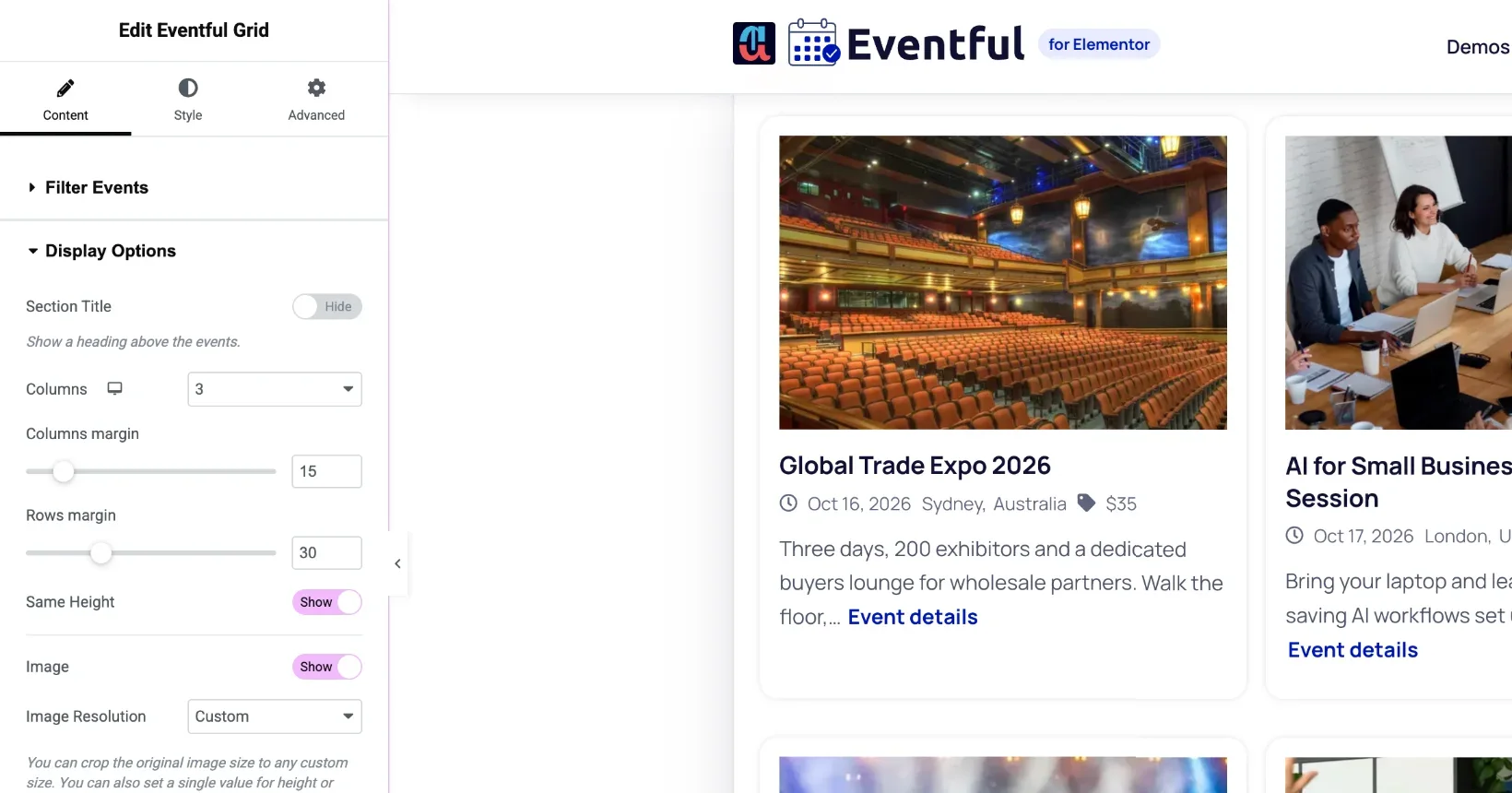
How to set it: Drop in the Eventful Grid widget. Display Options > Columns: 3 on desktop, 2 on tablet, 1 on mobile, and turn on Same Height (Pro). Pagination > Load More Button (Ajax).
Live widget · 3 columns · Load More
Future Leaders Business Summit
- San Francisco,United States
- $299
Finance Basics for Founders
- Free
Outdoor Team Building Retreat
- Sydney,Australia
- $450
Digital Marketing Growth Conference
- San Francisco,United States
- $199
Product Design Sprint
- Brooklyn,United States
- $180
Investor Networking Evening
- London,United Kingdom
- $40
02
Four columns with image hover effects
How to set it: Columns: 4. Display Options > Zoom Effect: Zoom In, Image Mode: Grayscale and normal on hover. Hide the excerpt for a compact card.
Live widget · zoom + grayscale (Pro)
03
Content over the image
How to set it: Template Styles > Event Content Position: Overlay. Works well for featured events: Filter Events > Featured.
Live widget · overlay content (Pro), featured events
04
Ready-made designs
How to set it: Template Styles > Template Type: Pre-made Templates, then pick Template One, Two or Three. This one is Template One.
Live widget · pre-made Template One
San Francisco, CA 94105 United States
Nov
Sydney, NSW 2000 Australia
Options
What you can customise
Everything below is a control in the Elementor panel. No code needed.
- 1 to 4 columns, set separately for desktop, tablet and mobile
- Column and row gaps
- Same-height cards (Pro)
- Image size, custom size and 2x images for retina screens
- Zoom and grayscale image effects (Pro)
- Video or audio in place of the image (Pro)
- Content position: below, beside or over the image (Pro)
- Drag to reorder or hide the image, title, meta, excerpt and share buttons
- Event meta: date, venue, organizer, price, category or tag, each with its own icon
- Title and excerpt length, HTML tag and alignment
- Read More as a button or a text link
- 3 ready-made designs with featured-event colours
- Load More, number, infinite or normal pagination (number, infinite and normal are Pro)
- AJAX live filters and keyword search above the grid
- Typography, colours, borders, shadows and hover states in the Style tab
Is the Grid widget in the free version?
Yes. Eventful Grid is included in the free version on wordpress.org. Pro adds image zoom and grayscale effects, overlay and side content positions, same-height cards, past events, and more pagination types.
How many columns can the Elementor events grid have?
From 1 to 4 columns, and you can set a different number for desktop, tablet and mobile in the Elementor panel.
Can the grid show only upcoming or featured events?
Yes. In Filter Events, choose Latest or Featured, and set Type of Event to Upcoming. Pro also shows past events or all events together.
Can visitors filter the grid?
Yes. Turn on Advanced Filtering to add AJAX filters by category, tag, venue, organizer, month or year, plus a live keyword search. See the AJAX live filter demo.
Last updated:
Give your events the layout they deserve
Nine Elementor widgets, AJAX filters and full style control. Try the free version or go Pro today.