Live demo · Search
Live AJAX Event Search for The Events Calendar
Put a search box above any Eventful widget. As visitors type, the events update without a page reload, and a Reset button clears the search. Every search box below is the live widget.
All 9 widgetsFree & Pro
01
Search box above an events grid
How to set it: Filter Events > Keyword Search on, Show Search in Live Filters on. Set a label and placeholder, and keep the Reset button. Try “summit” or “workshop”.
Live widget · live search + reset
02
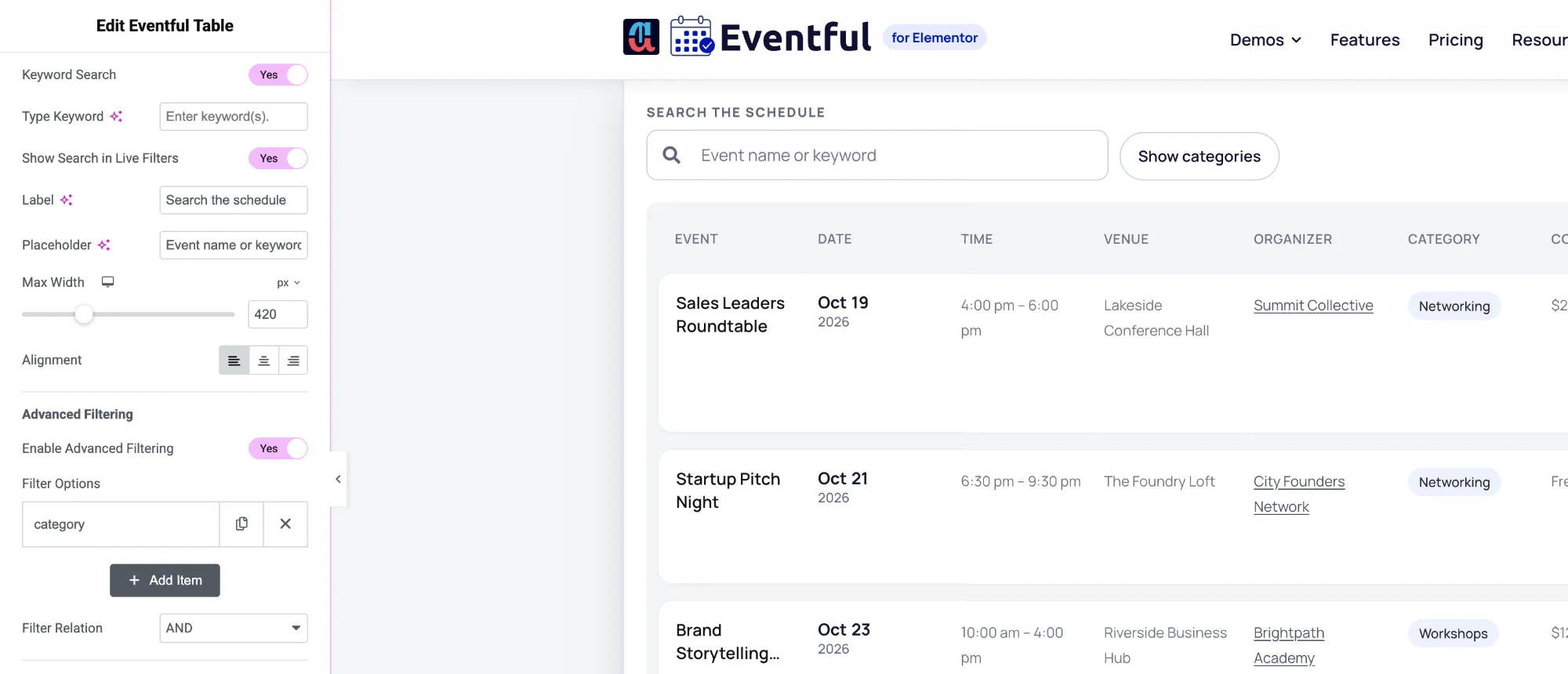
Search and category filter together
How to set it: Turn on Show Search in Live Filters and Advanced Filtering in the same widget. The search box and the category buttons work together: pick a category, then type to narrow it further. Show/Hide Filter button on: the category buttons fold away behind “Show categories” until a visitor needs them.
Live widget · search + filter + Show/Hide button (Pro)
| Event | Date | Time | Venue | Organizer | Category | Cost | Details | Action |
|---|---|---|---|---|---|---|---|---|
| Future Leaders Business Summit | October 27, 2026 – October 28, 2026Oct27–282026 | 9:00 am – 5:00 pm | Harborview Convention Center | Northwind Events | Conferences | $299 | Two days of keynotes and workshops for managers stepping into [...] | Event details |
| Finance Basics for Founders | November 3, 2026Nov32026 | 12:00 pm – 1:00 pm | Online (live stream) | City Founders Network | Webinars | Free | A one-hour lunchtime webinar on cash flow, runway and the [...] | Event details |
| Outdoor Team Building Retreat | November 10, 2026 – November 12, 2026Nov10–122026 | 9:00 am – 4:00 pm | Harbour Quarter Expo | Summit Collective | Team Building | $450 | Three days of shared challenges, facilitated workshops and time to [...] | Event details |
| Digital Marketing Growth Conference | November 19, 2026Nov192026 | 9:30 am – 5:30 pm | Harborview Convention Center | Northwind Events | Conferences | $199 | Search, paid social, email and AI tools: what is working [...] | Event details |
| Product Design Sprint | November 27, 2026 – November 28, 2026Nov27–282026 | 10:00 am – 4:00 pm | The Foundry Loft | Brightpath Academy | Workshops | $180 | Go from problem to tested prototype in two focused days. [...] | Event details |
| Investor Networking Evening | December 8, 2026Dec82026 | 6:00 pm – 9:00 pm | Riverside Business Hub | City Founders Network | Networking | $40 | Meet angel investors and early-stage funds in a relaxed evening [...] | Event details |
03
A fixed keyword, no search box
How to set it: Keyword Search on, Show Search in Live Filters off, Type Keyword: “workshop”. The widget shows only events that match, which suits a “Workshops” section on a landing page.
Live widget · fixed keyword "workshop"
Options
What you can customise
Everything below is a control in the Elementor panel. No code needed.
- Live keyword search on any of the 9 widgets
- Search box label and placeholder text
- Maximum width (set per device) and alignment
- Reset button with your own text
- Combine with AJAX filters in the same bar
- Show/Hide Filter button beside the search box
- Fixed keyword: show only matching events, no search box
- Matches the event title and description (standard WordPress search)
Is the live search in the free version?
Yes. Live keyword search and the Reset button are in the free version, on every free widget.
What does the search look at?
It matches the keyword against each event’s title and description, using the standard WordPress search, within the events the widget is set to show. Combine it with filters to narrow results by category or venue at the same time.
Can I show only events that match a word, without a search box?
Yes. Turn on Keyword Search, leave Show Search in Live Filters off, and type the keyword. The widget then lists only matching events.
Last updated:
Give your events the layout they deserve
Nine Elementor widgets, AJAX filters and full style control. Try the free version or go Pro today.