Live demo · Slider
Elementor Events Slider for The Events Calendar
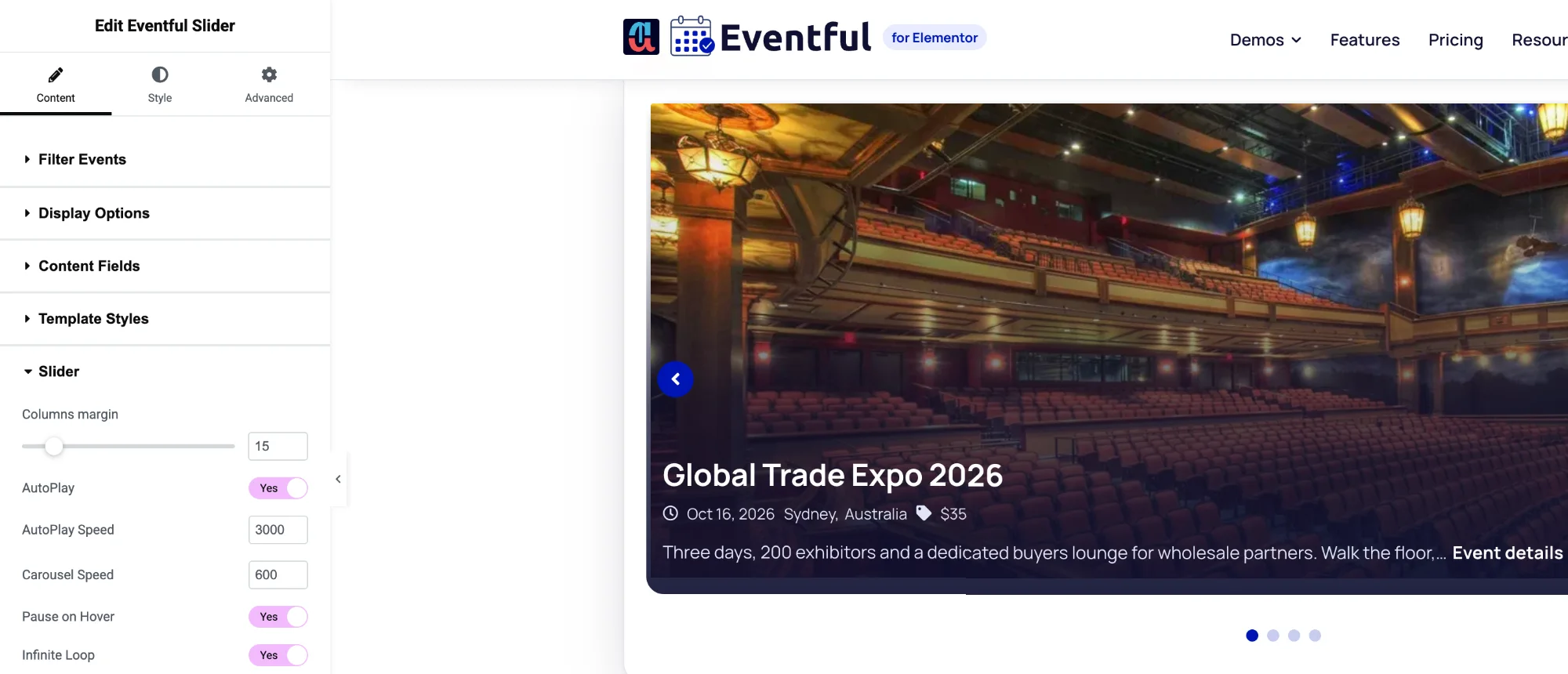
Show one event per slide with the Eventful Slider widget: ideal for a hero section or a featured-events banner. Put the text over the image or beside it, choose a transition, and style the arrows and dots in the Elementor panel. Every slider below is the live widget.
Eventful Slider widgetFree & Pro
01
Full-width Elementor events slider
How to set it: Event Content Position: Overlay, with a dark bottom gradient and white text set in the Style tab. Image size: Custom 1200 x 450. Arrows: Vertically center inner.
Live widget · overlay content (Pro)
Global Trade Expo 2026
- Sydney,Australia
- $35
Future Leaders Business Summit
- San Francisco,United States
- $299
Digital Marketing Growth Conference
- San Francisco,United States
- $199
Investor Networking Evening
- London,United Kingdom
- $40
02
Image beside the content
How to set it: Event Content Position: Right. The image takes the left half and the event details sit beside it. Arrows: Bottom right.
Live widget · content on the right (Pro)
Global Trade Expo 2026
- Sydney,Australia
- $35
Future Leaders Business Summit
- San Francisco,United States
- $299
Digital Marketing Growth Conference
- San Francisco,United States
- $199
Investor Networking Evening
- London,United Kingdom
- $40
03
Fade transition with numbered pagination
How to set it: Transition Effect: Fade. Pagination Type: Number. AutoPlay on with a 5 second delay.
Live widget · fade + number pagination (Pro)
Options
What you can customise
Everything below is a control in the Elementor panel. No code needed.
- Content position: below, over, right or left of the image (overlay and side positions are Pro)
- Transitions: Slide, plus Fade, Coverflow, Cube and Flip (Pro)
- AutoPlay, speed, pause on hover, infinite loop, lazy load
- Right-to-left or left-to-right direction
- Arrows: show, hide or hide on mobile; 9 positions; 7 icon sets
- Dots or number pagination (number is Pro), dynamic bullets
- Touch swipe, mouse drag, mouse wheel and keyboard navigation
- Image size and crop, overlay colour, title and meta typography
- Pick the events: latest, featured or specific events
- Arrow and dot colours, size, border and radius in the Style tab
Is the Slider widget in the free version?
Yes. Eventful Slider is in the free version with the Slide transition. Pro adds Fade, Coverflow, Cube and Flip, content over or beside the image, and number pagination.
Can I show only featured events in the slider?
Yes. Set Filter Events to Featured, or choose Include Only and pick the events you want. The demos above use hand-picked events.
Does the Elementor events slider work on phones?
Yes. It supports touch swipe, and you can hide the arrows on mobile so the slide keeps the full width.
Last updated:
Give your events the layout they deserve
Nine Elementor widgets, AJAX filters and full style control. Try the free version or go Pro today.