

Table of Contents
Drag an Eventful widget from the Elementor panel onto any page or template.
- Open the page in Elementor: in Pages, hover over the page and click Edit with Elementor.
- In the Elementor panel, type Eventful in the search box, or scroll to the Eventful category.
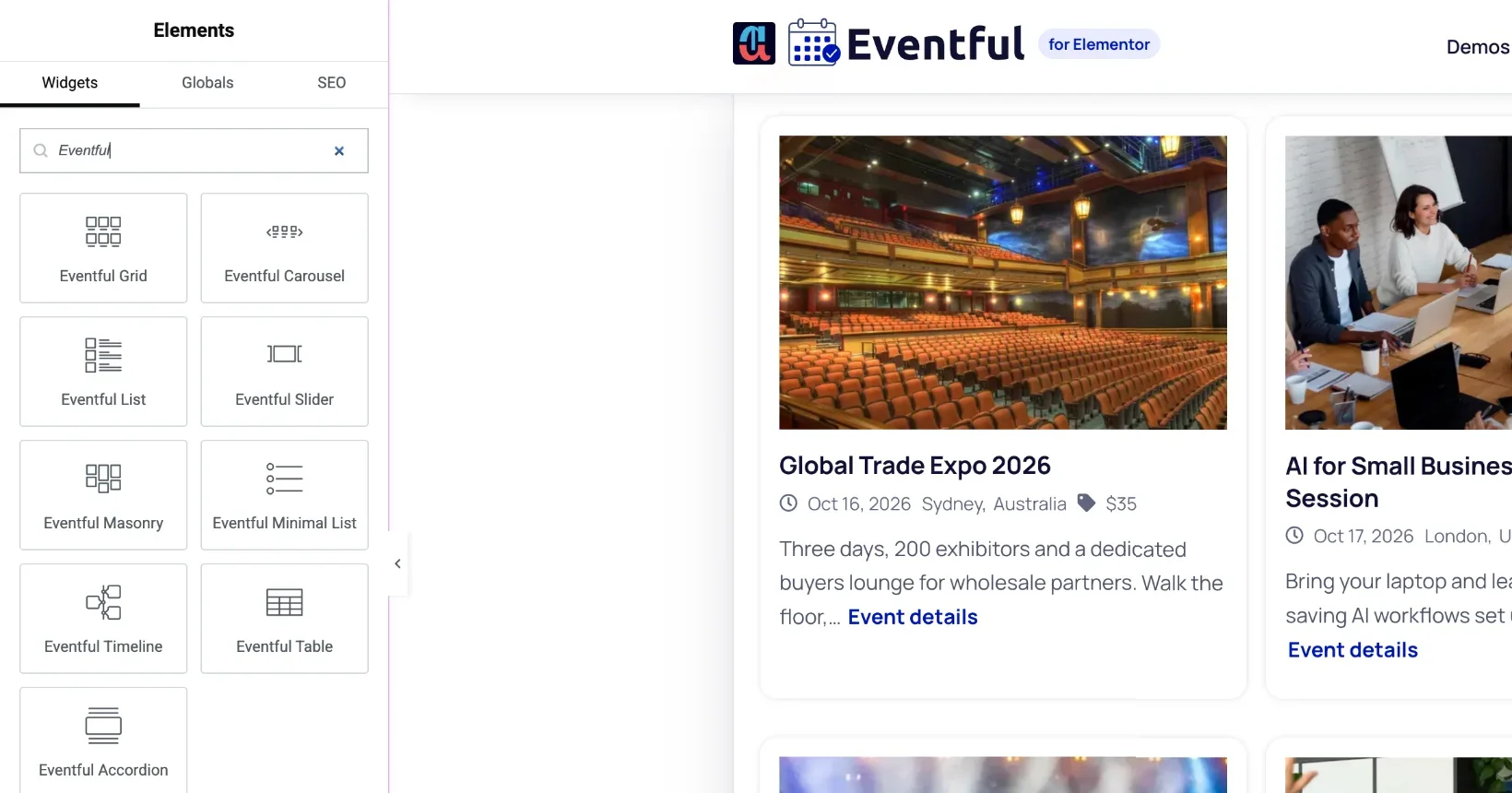
The Eventful widgets in the Elementor panel. - Drag a widget, for example Eventful Grid, onto the page. Drop it where the blue line shows.
- The widget shows your upcoming events straight away, using its default settings. Change them in the panel on the left.
- Click Publish (or Update) to save the page.
Where you can use the widgets #
- Any page or post you edit with Elementor.
- Elementor templates you insert into other pages.
- Theme-builder areas, if you use Elementor Pro’s Theme Builder. Elementor Pro is not required for the widgets themselves.
Which widget to choose #
Each layout is a separate widget: Grid, Carousel, Slider, List, Minimal List, Masonry, Timeline, Table and Accordion. The Ticker is a mode of the Carousel. See all of them on the home page, or start from the Overview.


