

Table of Contents
The Ticker is the Eventful Carousel in Ticker mode: a strip of events that scrolls on its own.
Ticker mode is part of Eventful Pro.
- Add Eventful Carousel to the page and open Content > Carousel.
- Set Carousel Mode to Ticker. The strip starts moving in the editor.
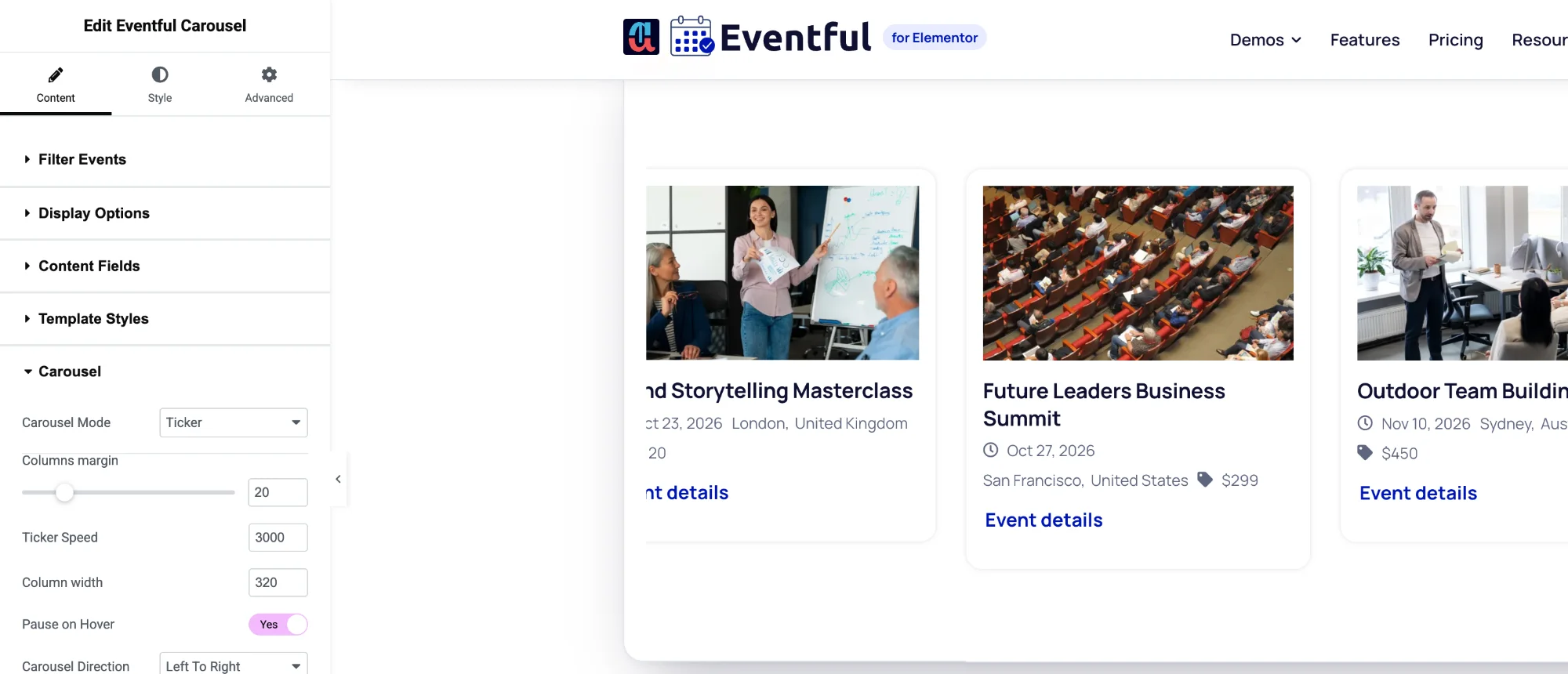
Content > Carousel with Carousel Mode: Ticker. - Set Ticker Speed: the time in milliseconds each event takes to scroll past. A higher number is slower. The default is 3000.
- Set Column width: the width of each event card in pixels. The default is 400.
- Turn on Pause on Hover so the strip stops while a visitor points at it.
- Choose the Carousel Direction: Right To Left or Left To Right.
Tips #
- A ticker works best with short cards. In Content Fields, turn off Content and keep the title, date and venue.
- Arrows, dots and autoplay settings are hidden in Ticker mode: the strip always moves.
- Use Columns margin to set the space between cards.


