

Table of Contents
Display Options set the section title, the columns and how images load.
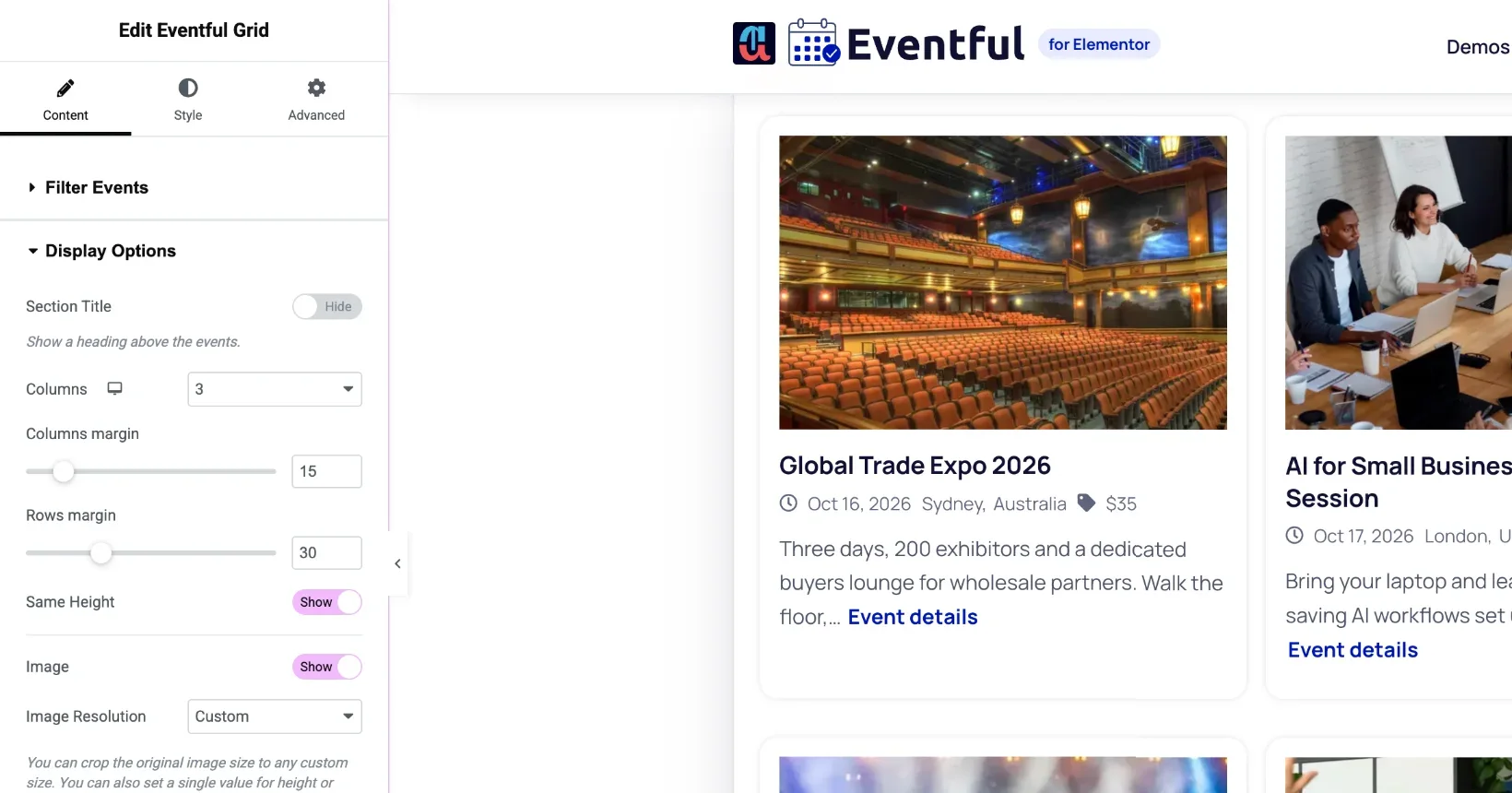
| Setting | What it does |
|---|---|
| Section Title | Shows a heading above the events. Set its text and HTML tag (H1 to H6, div or p). |
| Columns | 1 to 4 columns. Use the device icon to set desktop, tablet and mobile separately. |
| Columns margin / Rows margin | The space between cards across and down. |
| Same Height (Pro) | Makes every card in a row as tall as the tallest. |
| Image | Shows or hides the event image. |
| Image Resolution | A registered image size, or Custom with a width and height for an even crop. |
| Load 2x Resolution Image in Retina Display | Sharper images on high-density screens. |
| Replace With (Pro) | Video or audio instead of the image, when there is no featured image or always. |
| Zoom Effect / Image Mode (Pro) | Zoom on hover; grayscale modes. |
| Lazy Load (Pro) | Loads images as they scroll into view. |
| Preloader | Shows a loading animation until the widget is ready. |
Not every widget uses every option. For example, Minimal List always shows one event per row, and Carousel sets its columns in its own Carousel section.


