

Table of Contents
Eventful Pro for Elementor adds 9 Elementor widgets that show your events from The Events Calendar.
You create events in The Events Calendar as usual. Eventful then shows them on any Elementor page, as a grid, a carousel, a timeline, a table or another layout. You set everything in the Elementor panel, and the editor shows the result as you work.
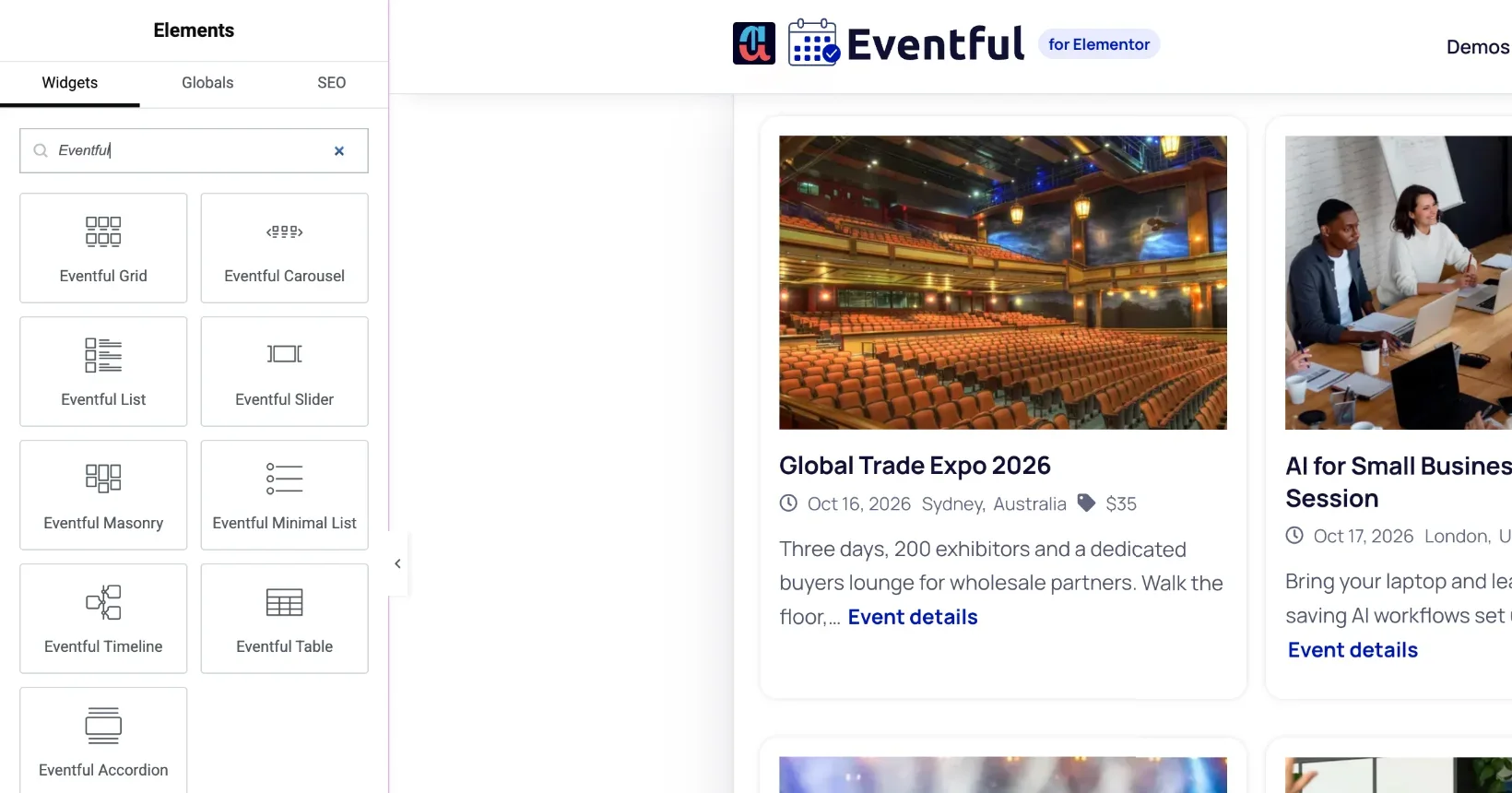
The 9 widgets #
Each layout is its own widget in the “Eventful” category of the Elementor panel:
- Grid: 1 to 4 columns, set per device.
- Carousel: a swipeable row, with Standard, Center, Ticker and Multi Row modes.
- Slider: one event per slide.
- List: larger rows with the image on the left or right.
- Minimal List: compact rows.
- Masonry: cards of different heights packed into columns.
- Timeline: events along a vertical or horizontal line.
- Table: rows and columns, with sorting and a sticky header.
- Accordion: rows that open to show the details.
The free version on wordpress.org has Grid, Carousel, Slider, Minimal List and Timeline. Pro adds the other four and more options. See Free vs Pro and Upgrading.
What every widget can do #
- Choose which events to show: upcoming, past or all, featured events, chosen events, a date range, and the order.
- Add AJAX filters and a live search box, so visitors can narrow the list without a page reload.
- Split long lists with Load More, page numbers or infinite scroll.
- Start from a ready-made design, or build your own card and style it in the Style tab.
Next steps #
- Check the minimum requirements.
- Install and activate the plugin, then activate your license key.
- Follow the Quick Start Guide to add your first events section.


